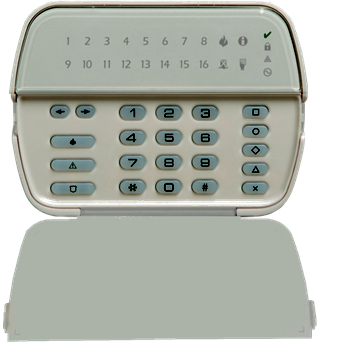
DSC Neo Keypad Commands
The DSC NEO Series features an extensive suite of keypad commands. However, access to certain advanced functionalities, such as panel programming, may necessitate the input of the installer code or master-code. These keypad commands offer a user-friendly interface to the alarm system’s capabilities, particularly on LED keypad models such as the one depicted below.
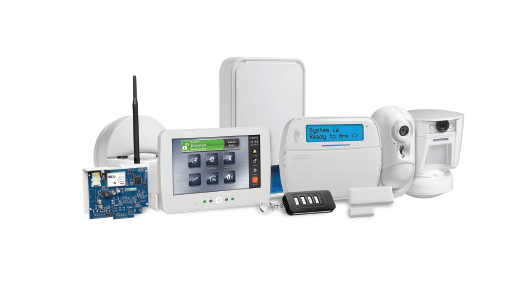
DSC Power series NEO Keypads commands
If you wish to see more information om the commands available for DSC NEO system or other Systems you can access it here: Intruder Detection Systems. [*] Commands provide convenient access to the alarm system features. The following commands are available:
[*][1] Bypass Command
Tells the system to ignore open inputs(zones) on the board. To read more about bypassing zones on a system follow the link here: DSC NEO – Bypassing a Zone – Geldenhuys.tech
[*][2] Trouble Command
Displays a list of fault conditions on the systems. To read more about trouble conditions on the systems: DSC NEO – Trouble Conditions – Geldenhuys.tech
[*][3] Alarm Memory
Displays the zones that went into alarm during the previous arm cycle. To read more about this feel free to follow the link: DSC NEO – Alarm memory – Geldenhuys.tech
[*][4] Door Chime ON/OFF
To read more : DSC NEO – Door Chime – Geldenhuys.tech
[*][5] User Programming
Add additional users to the system. Depending on brand and model, it will allow for anything from 16 to 200 users (Commercial systems will allow for more). To read more about pin codes, feel free to follow the link here: DSC NEO – Access Codes – Geldenhuys.tech
[*][6] User Function commands
Set date time and auto arming schedules. Enable DLS (Remote Download of the panel) etc.To read more about setting your date and time of the system, feel free to follow the link: DSC NEO – time and date – Geldenhuys.tech. To read more about the user menu, you can follow this link here:
[*][7] PGM Commands
To toggle the PGM outputs on the main Board of the alarm system. Command Output 1 to 4 ON/OFF To read more about switching your PGM outputs to toggle relays or door locks you can read the link here:
[*][8] Programming Menu
To enter installer programming and program the panels. To enter programming and program the panels requires the installer code of the system. If you do not have the installer code you can factory default the board, at the cost of loosing all your programming. You will then have to re-program the board starting from the beginning. Depending on how many zones you have this might not be quick and easy, and will consume a fair bit of your time.
[*][9] No entry arming
Remove entry-exit times to panels. Entry exit zones acts as instant zones. Your main entry door will now not start the countdown process if the door is open, and will create an instant alarm condition.
[*][0] Quick arming feature.
When leaving the property, you can quick arm the system without entering your user code. The system will start the countdown timer with the keypad beeping and arm in a short time.