
DSC – User Functions
The [*][6] command on the keypad of the DSC system houses all the user functions that can be accessed from the keypad. For DSC keypads you can simply scroll using the scroll buttons to the desired options and press the [*] button.
The [*] command on the DSC system’s keypad encompasses all accessible user functions. On DSC keypads, navigate to your desired option using the scroll buttons and confirm by pressing ”. For LED keypads, consulting the manual simplifies reading the sub-location. Below, I have cataloged all the sub-locations for your convenience.”
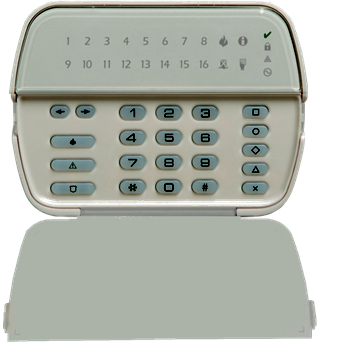
DSC Power Series – User functions
- Press [*][6] followed by the master code of the system, then press the number associated to enter the chosen section
- [1] Program date and time – To see more information on how to program the date and time see my post below
- [2] Auto arm/Auto Disarm Enable/Disable – Note that you schedules needs to be programmed before you can use these sections.
- [3] Auto Arm time of day – Program the time/day which the system needs to be programmed.
- [4] System Test – The panel performs a system test.
- [5] Enable DLS – This is to grant temporary software access. Normally for 1 to 6 hours depending on programming.
- [6] User initiated DLS. Used with software uploading and downloading of the panel
If you have a LCD text based Keypad these additional features that can accessed
- Event Buffer
- Brightness Control
- Contrast Control
- Buzzer Control
One of the most commonly utilized functions of this command is to configure the system’s time and date. You can read more here about time date: https://geldenhuys.tech/date-and-time/